
MediaHouse-Pro UPnP/DLNA1.5.2 - Google Play
You'll be able to see results in few seconds.
Publisher Description
MediaHouse Forum: https://groups.google.com/forum/#!forum/mediahouse-upnp-dlna-app
MediaHouse Info: www.darassoft.com
Stream music, videos, movies and pictures from PC, NAS or any other device running UPnP/DLNA compliant media server. MediaHouse Pro powers your device i.e. phone, tablets or google TVs with the following capabilities:
1. Automatic scan of your home network over Ethernet or Wifi to identify PC, NAS or any other device running UPnP/DLNA media server.
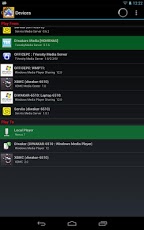
2. Shows capabilities of the scanned servers by dividing them into two categories, one from which you can serve content i.e. called Play From and others to which you can play that content i.e. called Play To.
3. Use MediaHouse Pro as a browser, player or controller.
4. MediaHouse Pro can control playback of content from a Media Server (called - Play From) to a Media renderer (called - Play To).
5. Movies - Spice up your movie libraries with posters, backdrops, actors and more information gathered from online sources such as TMDb.
6. Favorites - Save several level deep albums and folders from one or multiple media servers and get direct one click access to their content.
7. Play lists - add, delete, rename music play lists. Last played audio tracks are automatically saved.
8. Search your big server libraries for albums, artists, video, images by their title.
9. Download - albums, folders and individual media items to your device for offline play.
10. Random play - discover hidden gems in your library by letting app select music for you.
11. Built in music player with options to seek, pause, play, loop, shuffle and repeat.
12. Build in photo viewer with slideshow option.
13. Image Colors are picked from album art or photos to beautify now playing and photo view screens.
14. Time saver folder options like search audio and play or search images and arrange them in a slideshow.
15. Remembers your server selection and uses it in subsequent runs.
16. Video play in NOT BUILT IN and MediaHouse uses other applications installed on your device. We recommend installing MXPlayer or BSPlayer, Moboplayer etc... They have support for many HD video file formats.
17. Support for Landscape mode
18. Displays album art and album thumb nails
19. Further Tips are available via menu option
THIS APP DOES NOT CLAIM TO BE DLNA CERTIFIED. Check http://www.dlna.org/consumer-home/look-for-dlna/product-search. However, here is a brief list of what our users are using today with MediaHouse.
UPnp/DLNA Servers
------------------
1. TwonkyMedia server
2. Windows Media Player 12
3. TVersity
4. Serviio
5. XBMC
6. PS3 Media Server
7. MediaMonkey 4.0
8. Synology DSM 3.1
9. MediaTomb
10. MiniDLNA
11. PURE Flowserver
UPnP/DLNA Players
------------------
1. Windows Media Player 12 (Has good audio and video support)
2. Sony Network Media Players (Good audio but limited support on video playback).
3. And of course your phone or tablet works as always.
Tags : Movies, Music, Photos, Videos, TV shows, movie browser, music player, network player, media center, video player, Boxee, XBMC, Plex, MediaPortal.
About MediaHouse-Pro UPnP/DLNA
The company that develops MediaHouse-Pro UPnP/DLNA is Diwakar Bhatia. The latest version released by its developer is 1.5.2.
To install MediaHouse-Pro UPnP/DLNA on your Android device, just click the green Continue To App button above to start the installation process. The app is listed on our website since 2017-02-10 and was downloaded 0 times. We have already checked if the download link is safe, however for your own protection we recommend that you scan the downloaded app with your antivirus. Your antivirus may detect the MediaHouse-Pro UPnP/DLNA as malware if the download link to com.dbapp.android.mediahouse.pro is broken.
How to install MediaHouse-Pro UPnP/DLNA on your Android device:
- Click on the Continue To App button on our website. This will redirect you to Google Play.
- Once the MediaHouse-Pro UPnP/DLNA is shown in the Google Play listing of your Android device, you can start its download and installation. Tap on the Install button located below the search bar and to the right of the app icon.
- A pop-up window with the permissions required by MediaHouse-Pro UPnP/DLNA will be shown. Click on Accept to continue the process.
- MediaHouse-Pro UPnP/DLNA will be downloaded onto your device, displaying a progress. Once the download completes, the installation will start and you'll get a notification after the installation is finished.
Program Details
System requirements
Download information
Pricing
Version History
version 1.5.2
posted on 2017-02-10
1.5.2
- New Material design, color scheme and application layout.
- Navigation Menu for quick access to top items
- Improved Expanded Notifications with album Artwork
- Play, Pause, go Next or to previous track from Notification (Lollipop onwards)
- Improved Movie search by adding name filter
- New 24 target compilation using Android Studio / Gradle
version 1.5.0
posted on 2014-01-03
Search Video and Play option.,Random Video Play option.,New grid views for all media and its sub folders.,Replace stock thumb nail with actual video thumb nail if media server is sending one.,Fix Genres in Movie Info.,Fix some content not playing on DMR due to bad url format.
version 1.4.9
posted on 2013-06-17
Several fixes and updates
Disclaimer
Official Google Play Link
We do not host MediaHouse-Pro UPnP/DLNA on our servers. We did not scan it for viruses, adware, spyware or other type of malware. This app is hosted by Google and passed their terms and conditions to be listed there. We recommend caution when installing it.
The Google Play link for MediaHouse-Pro UPnP/DLNA is provided to you by apps112.com without any warranties, representations or guarantees of any kind, so access it at your own risk.
If you have questions regarding this particular app contact the publisher directly. For questions about the functionalities of apps112.com contact us.
